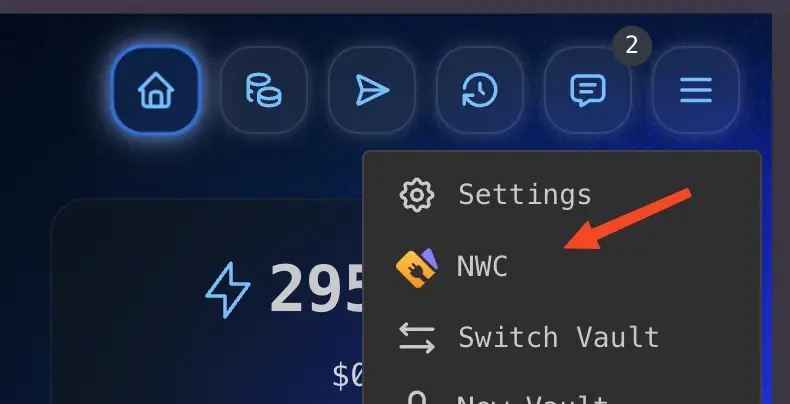
- Open Rizful and tap the menu.
- Tap NWC.
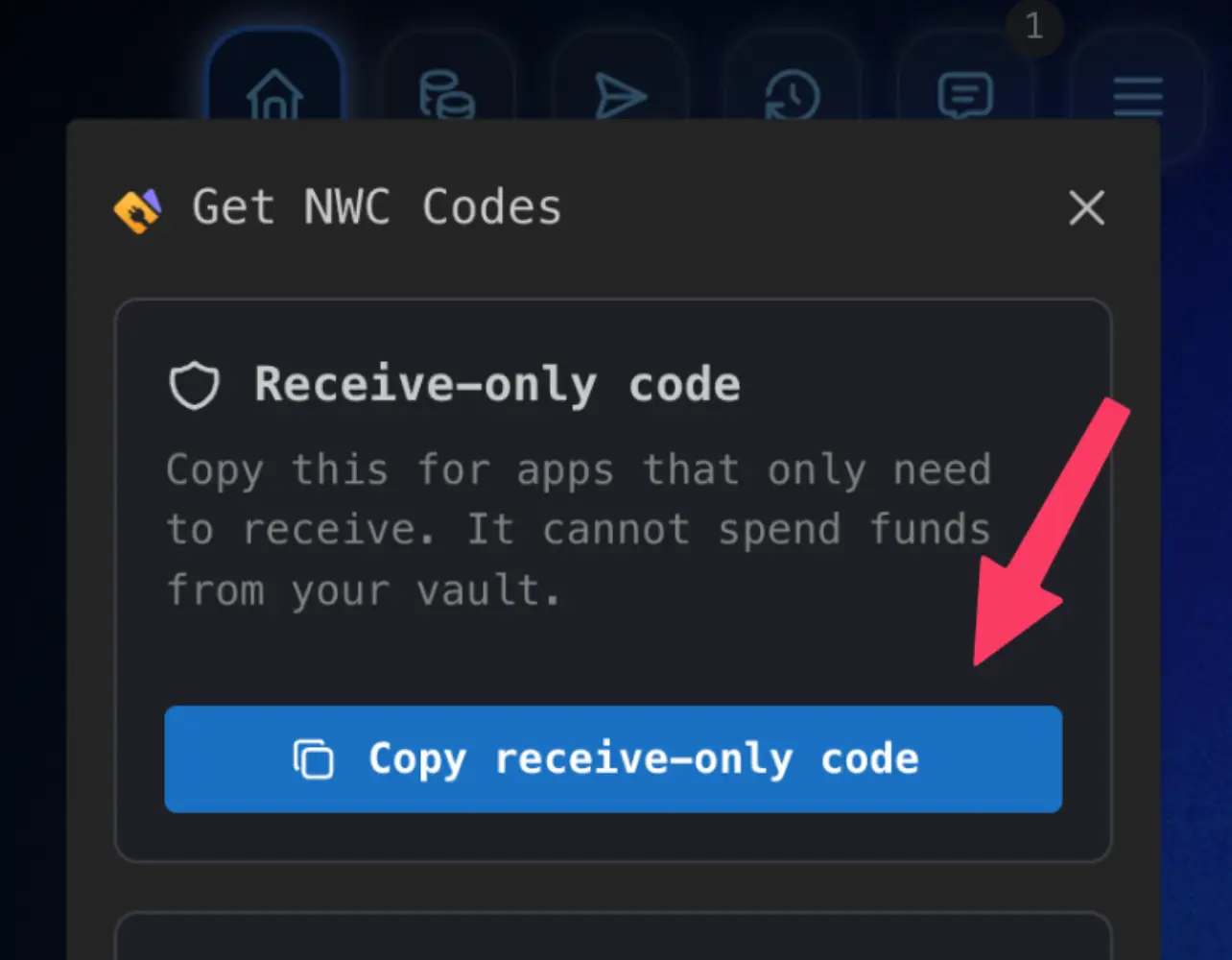
- Tap Receive-only NWC Code.
- Tap Copy receive-only code and paste it into OpenReceive.
Tutorial: Get a read-only NWC code from Rizful

Receive payments
A NWC code allows you to securely receive payments with OpenReceive.
NWC is built on the NIP-47 open source standard.
Choose from any provider below or build your own NWC service.
Tutorial: Get a read-only NWC code from Rizful
Alby Hub is self-custodial and is therefore recommended for larger merchants.
nostr+walletconnect:// URL or scan the QR code.Links: Alby Hub guide
NWC is an open standard, so a team can run its own wallet service, choose its relays, and define the exact receive-only behavior it wants.
This requires significant work and is better suited for enterprise deployments or dedicated engineering teams.
A wallet service is an always-on process that controls a Lightning wallet or node, listens on one or more Nostr relays, and answers the encrypted requests OpenReceive sends it. To work with OpenReceive it must implement two specifications.
The connection string, the info event, the encrypted request and response
envelope, and make_invoice.
list_transactions, which OpenReceive uses to confirm that every
payment really settled in your wallet.
NWC-02 notifications are strongly recommended. NWC-05 is an optional extension in the NWC repository; OpenReceive does not treat it as optional.
make_invoice
NIP-47
Required
Creates one BOLT11 invoice per payment attempt. Sends amount in
millisatoshis, description or description_hash,
expiry, and optionally metadata. The response must
include invoice and a 64-character hex payment_hash;
amount, created_at and expires_at are
read when present.
list_transactions
NWC-05
Required
Confirms payments. Called with type: "incoming",
limit: 20, offset, from,
until, and unpaid: true on some passes. Return
incoming invoices newest first, honor offset, and give every row
its payment_hash plus a state or
settled_at.
get_info
NIP-47
Recommended
Read at startup for this connection's own methods list. Without
it, OpenReceive falls back to the service-wide info event, which can list
methods this connection is not allowed to use.
payment_received notification
NWC-02
Recommended
Marks an order paid the moment the payment lands. Publish kind
23197 (NIP-44), and also 23196 only if you support
NIP-04. Without notifications, payments are still found through
list_transactions, just later.
lookup_invoice, get_balance
NIP-47
Not used
OpenReceive never calls them. Implement them only if other clients need them.
A connection that lists pay_invoice, multi_pay_invoice,
pay_keysend or multi_pay_keysend in get_info or
its info event is refused at startup, unless the host sets an explicit override.
Leave them out of the method list entirely: a zero spending budget alone does not
pass this check.
nostr+walletconnect://<wallet-service-pubkey>?relay=wss://<relay>&secret=<client-secret>.
Use a separate wallet-service key for every connection, do not keep the client
secret after handing it over, and let the merchant revoke a connection.
13194 event on every relay
in the connection string. Its content lists the methods, space-separated, for example
make_invoice list_transactions get_info. Tag it with
encryption (nip44_v2), notifications
(payment_received) and extensions (02 05).
23194
with a p tag naming your key. Answer each with kind 23195,
tagged p with the client's key and e with the request id.
Set result_type to the method name and error to
null, or to a NIP-47 error code and message. Act only on requests signed
by the connection's client key, and ignore any request past its
expiration tag.
nip44_v2). OpenReceive picks it
whenever you advertise it; NIP-04 is a deprecated fallback for older wallets.
settled_at or state: "settled", so
report either one only when the payment is final in your wallet. A held
(accepted) payment is not settled, and a preimage alone is not proof of
payment.
NWC_URI and run
npx openreceive doctor. It connects over your relays and checks the
method list, the encryption, and that no spend method is advertised.
Zeus can issue NWC strings from its Nostr Wallet Connect service on recent versions.
make_invoice and list_transactions, and get_info if offered: OpenReceive needs the first two to create invoices and confirm payments.pay_invoice and keysend permissions off, then copy the connection string.Links: Zeus docs
LNbits can mint scoped NWC connections through the NWCProvider extension.
make_invoice and list_transactions, and get_info if offered; do not grant pay_invoice.Links: NWCProvider repo LNbits overview
A relay is a small server that passes signed messages between Nostr keys over WebSockets. Your OpenReceive server and your wallet service never connect to each other: both connect out to the same relays, and each relay forwards every message to whoever subscribed to it.
| Webhooks | Nostr relay | |
|---|---|---|
| Where your server listens | A public HTTPS endpoint anyone can find and probe. | Nowhere. It opens an outbound connection. |
| Proving who sent it | A shared secret both sides must store, rotate and verify correctly. | A public-key signature on every message. No shared secret. |
| Privacy in transit | TLS protects each hop, but the payload is readable wherever TLS ends: load balancers, proxies, request logs. | Encrypted end to end. Relays and proxies only see ciphertext. |
| Local development | Needs a tunnel to reach a laptop. | Works anywhere that can open a WebSocket. |
| Redundancy | One URL. If it is down, the sender's retry policy decides what happens. | The same message goes to several relays at once. |
| Latency | A new HTTP request per event, often queued. | Pushed on a connection that is already open. |
list_transactions, so a missed
notification only delays a confirmation.